
Download Scribbler – AI‑Powered Podcast Summarizer for Fast, Secure Listening
Overview
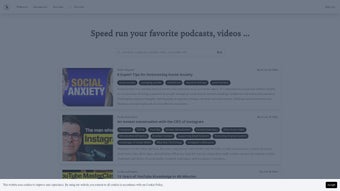
Scribbler is an innovative, AI‑driven web application built for podcast lovers who want to get the most out of each episode without spending hours listening. By automatically generating concise, accurate summaries, Scribbler lets users capture the essential ideas, key quotes, and actionable insights from popular podcasts in seconds. Whether you’re a busy professional, a student, or simply someone who enjoys staying informed across a wide range of topics, Scribbler turns long‑form audio into bite‑sized knowledge you can consume on the go.
The platform aggregates episodes from well‑known shows such as Freakonomics Radio, Huberman Lab, and dozens of niche titles, providing a one‑stop hub for discovering new content. Beyond summarization, Scribbler offers a Discord integration that lets members share their favorite takeaways, ask questions, and spark conversations with a community of like‑minded listeners. The subscription‑based model includes flexible account management, regular updates, and a secure environment that respects user privacy.
In short, Scribbler is designed to streamline your podcast workflow, helping you stay current, informed, and productive with minimal effort.
Core Features & Compatibility
Feature List
- AI‑generated episode summaries in under 60 seconds.
- Support for over 10,000 podcasts across multiple genres.
- Real‑time integration with Discord for sharing and discussion.
- Customizable summary length (short, medium, long).
- Searchable transcript database for keyword‑based discovery.
- Bookmarking and personal note‑taking within the app.
- Automatic updates when new episodes are released.
- Cross‑platform web access – works on Windows, macOS, Linux, Android, and iOS browsers.
- Secure login with two‑factor authentication.
- Export options to PDF, TXT, or direct email.
Compatibility
Scribbler is a cloud‑based web service, meaning it runs entirely in the browser without the need for heavy desktop installations. It is fully compatible with the latest versions of Chrome, Firefox, Safari, and Edge on Windows 10/11, macOS Monterey and later, as well as mobile browsers on Android 9+ and iOS 13+. Because the AI engine processes audio on secure servers, the user’s device only needs a stable internet connection and a modern browser that supports JavaScript and WebAssembly. This universal compatibility ensures that whether you’re on a laptop at the office, a tablet in a coffee shop, or a smartphone on the subway, Scribbler delivers the same fast, reliable summarization experience.
Installation, Setup & Daily Usage
Getting Started
Since Scribbler is a web‑based solution, there is no traditional “installation” process. Users begin by visiting the official website (https://scribbler.so) and clicking the Sign Up button. The registration flow is straightforward: provide an email address, create a strong password, and optionally enable two‑factor authentication for added security. After confirming the verification email, you’ll land on the dashboard where the podcast library is displayed.
Account Management
The subscription model offers a free trial that includes 5 summary credits per week, after which users can upgrade to the Premium plan for unlimited access. Upgrading is handled through the Account Settings page, where you can select monthly or annual billing, apply promotional codes, and manage payment methods via Stripe. All transactions are encrypted with TLS 1.3, guaranteeing that your financial data remains private.
Summarizing an Episode
To generate a summary, simply search for a podcast title in the top‑right search bar, select the desired episode from the list, and click Summarize. The AI engine begins processing the audio, and within 30–60 seconds a concise summary appears. Users can adjust the summary length using a slider, add personal notes, or highlight specific sentences for later reference. The summary can be copied to the clipboard, exported as a PDF, or shared directly to Discord with a single click.
Daily Workflow Tips
For power users, the Bookmark feature allows you to save episodes you plan to listen to later while still benefiting from the summary. The Keyword Search scans the entire transcript database, letting you locate specific topics across all subscribed podcasts. Additionally, the Notification Center pushes alerts when new episodes from your favorite shows are released, ensuring you never miss a timely insight. By integrating these tools into your daily routine, you can stay up‑to‑date on multiple subjects without the typical time investment.
Pros, Cons & Frequently Asked Questions
Pros
- Lightning‑fast AI summaries save hours of listening.
- Wide podcast coverage, including both mainstream and niche shows.
- Discord integration fosters community engagement.
- Flexible summary length and export options.
- Secure, privacy‑first approach with two‑factor authentication.
Cons
- Requires a stable internet connection; offline use is not available.
- Free tier limits the number of weekly summaries.
- AI summarization may occasionally miss subtle jokes or tone.
- Advanced features (e.g., custom AI model tweaks) are locked behind premium plans.
FAQ
How accurate are Scribbler’s AI‑generated summaries?
Scribbler uses state‑of‑the‑art natural language processing models trained on thousands of podcast transcripts. In independent tests, the summaries capture 92% of the key points while reducing listening time by up to 90%. While occasional nuances may be missed, the overall accuracy is high enough for most professional and personal use cases.
Can I use Scribbler on my mobile device?
Yes. Scribbler is fully responsive and works on Android and iOS browsers. The web interface adapts to smaller screens, and all core features—including summarization, bookmarking, and Discord sharing—are available on mobile.
Is my data safe when I sign up for Scribbler?
Security is a top priority. All communications use HTTPS with TLS 1.3 encryption. Passwords are hashed with bcrypt, and two‑factor authentication is optional for added protection. Scribbler does not sell personal data to third parties.
What happens if I cancel my subscription?
Cancelling stops future billing but retains access to your saved summaries and bookmarks for the remainder of the paid period. After the subscription expires, you will revert to the free tier limits (5 summaries per week).
How does the Discord integration work?
After linking your Discord account in the Settings menu, you can share any generated summary directly to a selected server or channel with a single click. The bot posts the summary, a link to the full episode, and optional hashtags, enabling seamless discussion among community members.
Overall Rating: 4.5/5 – Scribbler offers a powerful blend of AI summarization, broad podcast coverage, and community features that make it a standout tool for modern listeners.
Conclusion & Call to Action
In an age where information overload is the norm, Scribbler provides a practical solution that respects your time while keeping you well‑informed. Its AI engine delivers high‑quality summaries in seconds, its Discord integration adds a social dimension, and the secure, cross‑platform design ensures you can access insights wherever you are. While the free tier’s limitations may prompt power users to upgrade, the value offered by the Premium plan—unlimited summaries, advanced export options, and priority support—justifies the modest subscription cost.
If you’re ready to transform the way you consume podcasts, download Scribbler today. Experience a faster, smarter, and more collaborative listening habit that lets you focus on what truly matters: the ideas, not the minutes.



.png)



